Feeding
A feeding tracker built with large collections in mind
Log feedings and refusals in seconds, put every animal on a schedule with reminders, and feed entire racks with QR multi-scans. Scutely keeps feeding day organized whether you have five animals or five hundred.
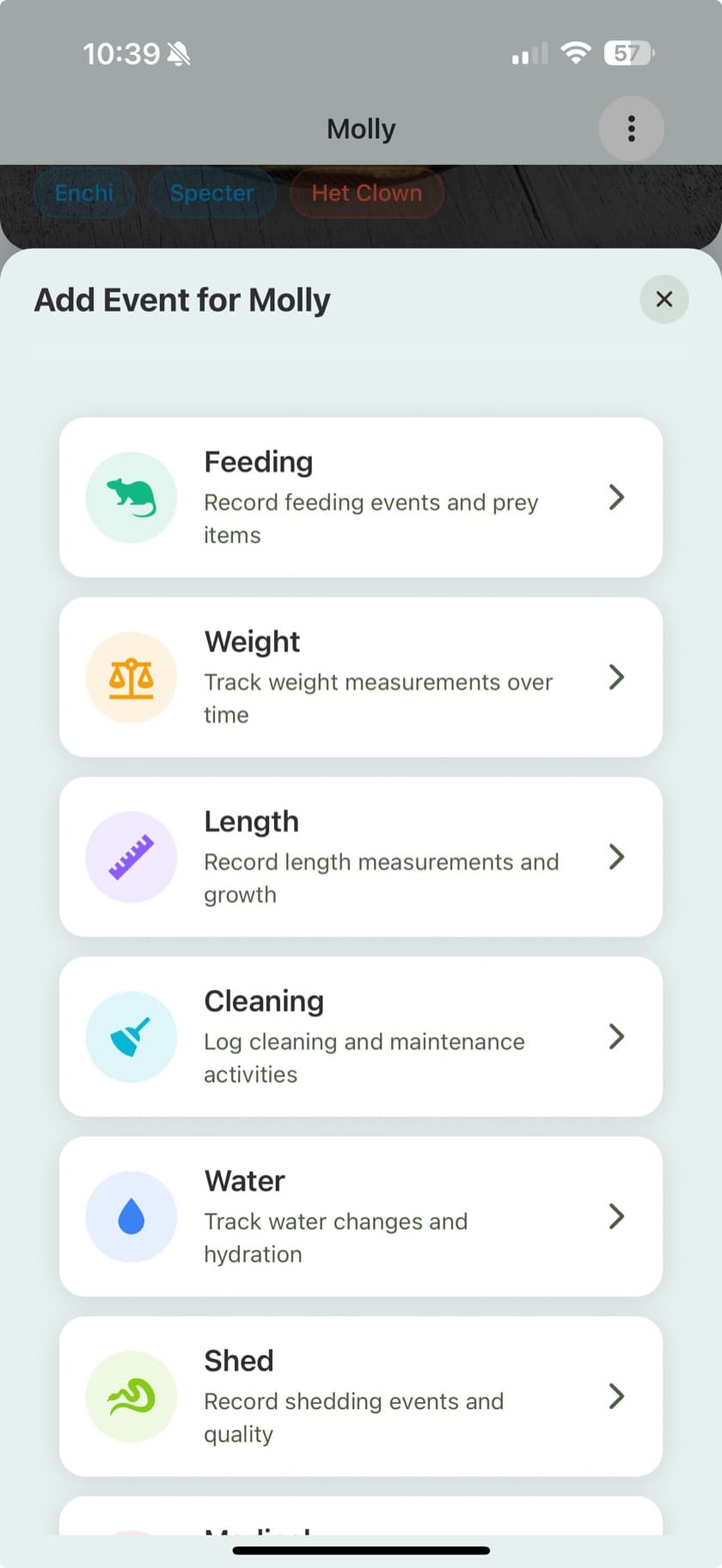
Every feeding, logged in seconds
Each feeding records what actually matters: the prey item, size, and quantity, whether supplements were dusted, and whether the animal ate or refused. Refusals are first-class records, so a picky ball python's pattern is visible instead of buried in your memory.
- Prey type, quantity, and prey weight per feeding
- Refusals logged alongside successful feedings
- Supplement tracking (calcium, vitamins) on any feeding
- Custom feeder types for whatever you raise or buy
- Growth charts from weight and length records to see how feeding translates
Feeding schedules and reminders
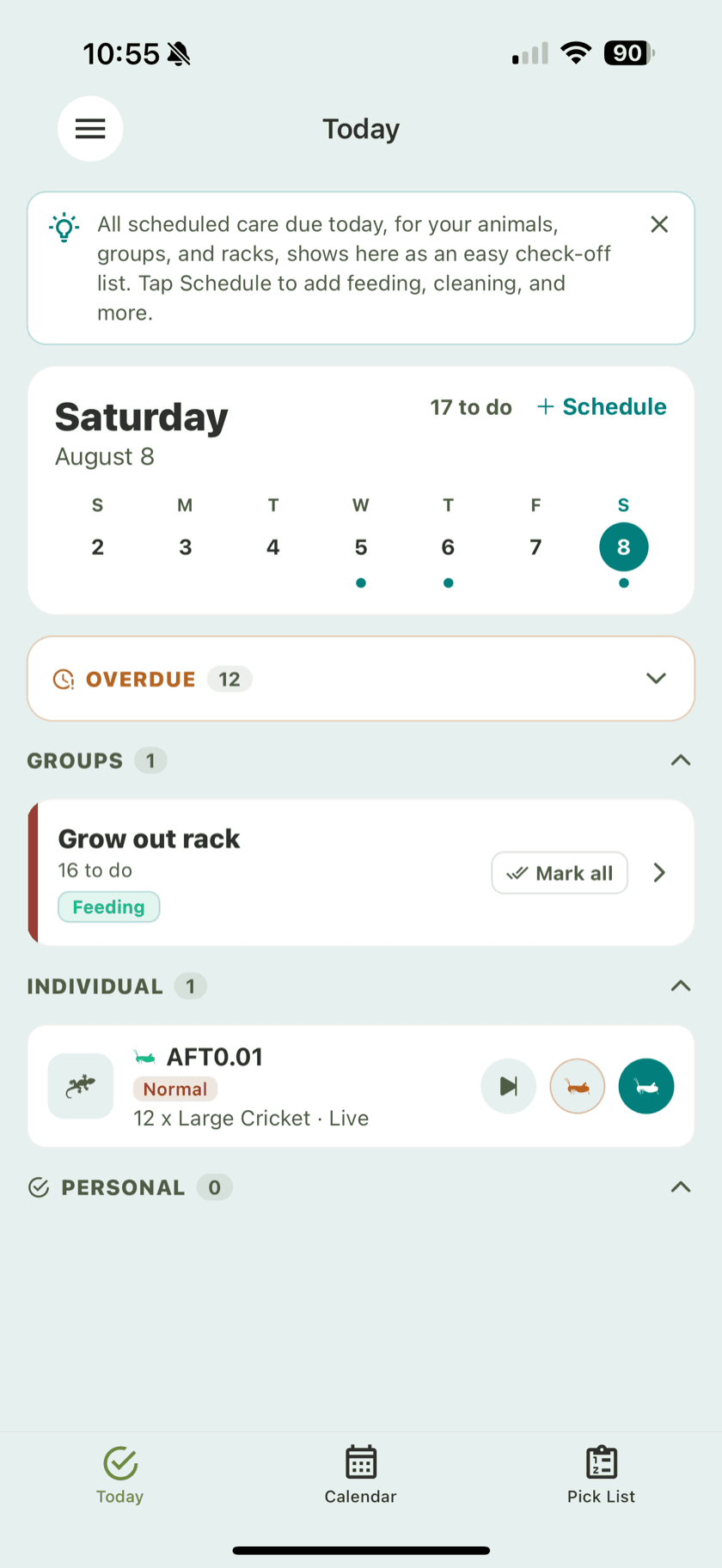
Put animals on a feeding schedule and Scutely turns it into a daily to-do list. Group animals that eat on the same cadence, pick a reminder time that suits you, and overdue feedings stay on the list until they are handled.
- Care groups with feeding schedules per group
- Push reminders at the time of day you choose
- Overdue feedings surface daily until they are logged
- A calendar view of what is due today, this week, and beyond
- Logging a feeding checks the task off automatically
A pick list for feeding day
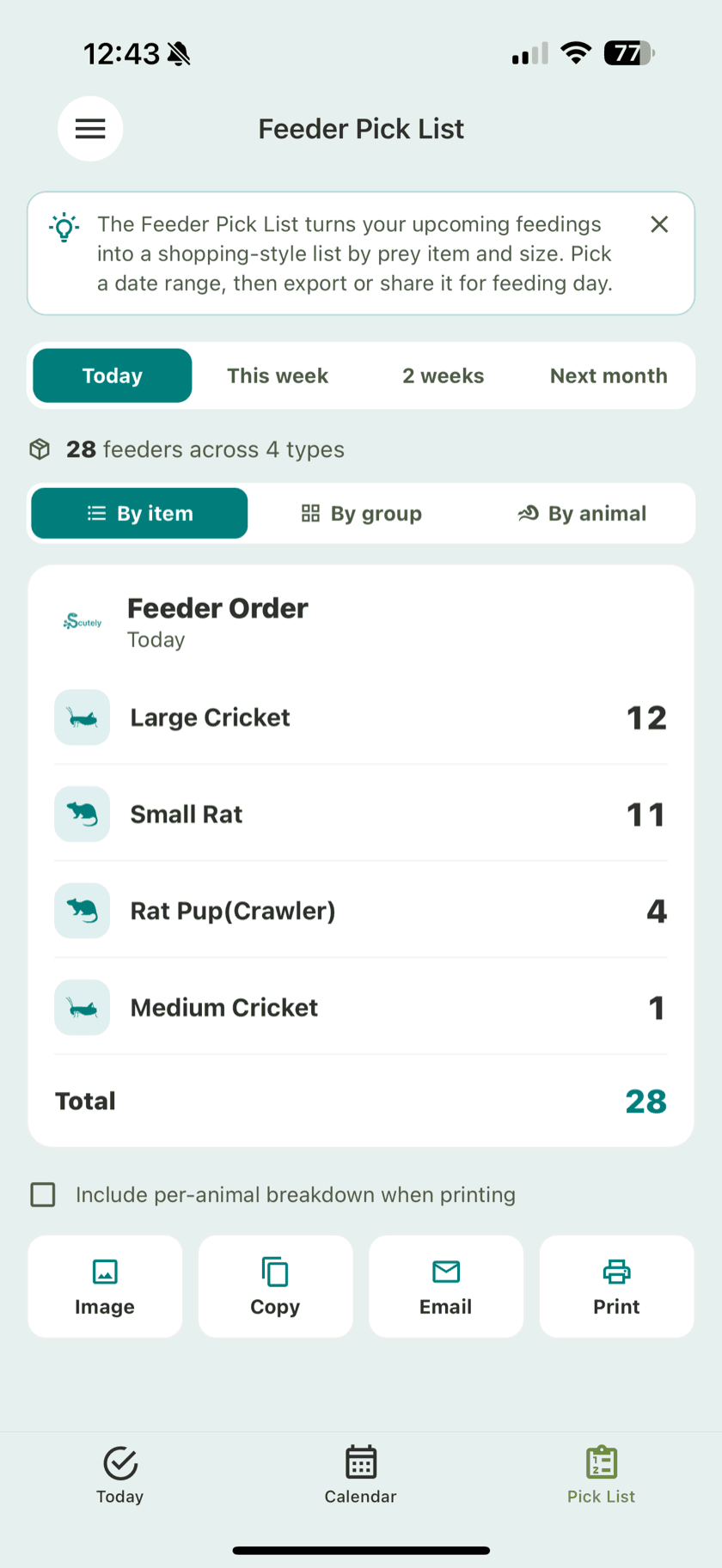
Before you head to the freezer or the feeder bins, the pick list totals up every prey item due today across your whole collection. Feed off the list group by group and nothing gets missed.
- Aggregated prey counts across every animal due today
- Per-group breakdown so you can work rack by rack
- Flags animals that have no prey item set before feeding day
Batch feeding with QR multi-scan
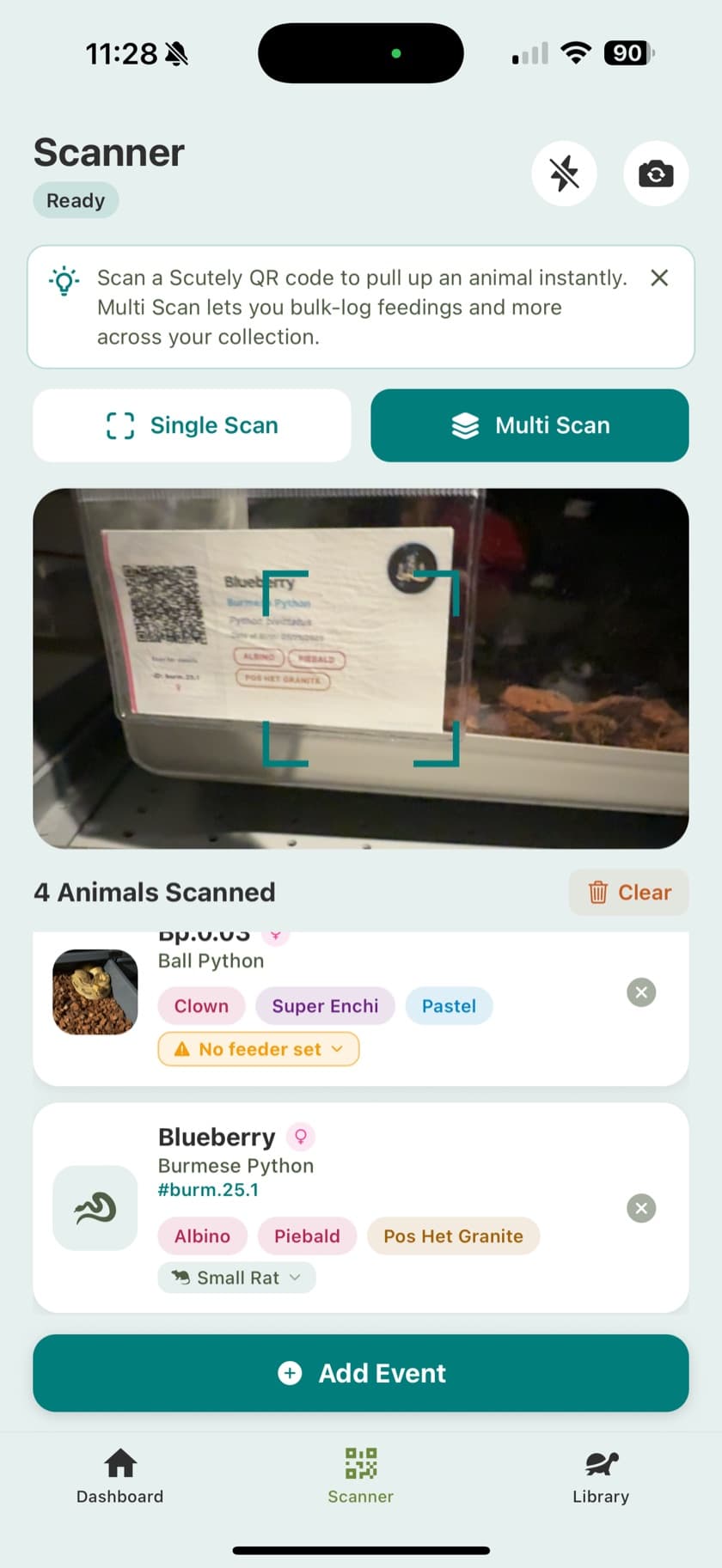
Label your enclosures with QR codes and feeding a rack becomes scan, scan, scan. Multi-scan mode logs the same feeding across every animal you scan, with per-animal overrides when one eats something different.
- Scan an enclosure QR code to log a feeding instantly
- Multi-scan mode for batch feeding whole racks
- Per-animal feeder overrides inside a batch
- Bulk logging without the scanner for web users
Dig into the details
The Scutely documentation walks through every screen and workflow mentioned on this page.
Frequently Asked Questions
Can I set a different feeding schedule per animal?
Yes. Animals are organized into care groups, and each group has its own schedule. A group can be one animal or a whole rack, so weekly hatchlings and biweekly adults each get their own cadence.
Does it track feeding refusals?
Yes. Refusals are logged just like successful feedings, so you can see an animal's strike history and spot patterns like seasonal fasting instead of relying on memory.
Can I feed a whole rack at once?
Yes. Multi-scan mode lets you scan enclosure QR codes one after another and log the same feeding for every animal scanned, with per-animal overrides when someone eats something different.
Will it remind me when feedings are due?
Yes. Each schedule sends a push reminder at the time of day you pick, and anything overdue keeps showing up daily until it is logged or skipped.
Does the feeding tracker work for tarantulas and amphibians?
Yes. Feeding schedules, refusal tracking, and the pick list work the same for reptiles, amphibians, tarantulas, and other invertebrates, with feeder types to match.
Make feeding day the easy day
Set up your schedules once and let Scutely keep the list. Free to download on iOS and Android.
Download Free